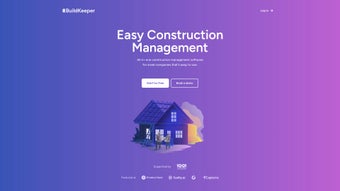

Download BuildKeeper – AI‑Driven Construction Management Software
Introduction: Modernizing Construction Management for Small and Mid‑Size Firms
In today’s fast‑paced construction environment, the ability to make data‑driven decisions in real time can mean the difference between a profitable project and a costly overrun. Small‑ to mid‑size contractors often find themselves stuck between two extremes: expensive, enterprise‑level platforms that require extensive IT resources, and basic spreadsheet‑based methods that lack visibility and introduce manual errors. BuildKeeper steps into this gap as a purpose‑built, AI‑enhanced construction management solution that delivers the power of a full‑featured suite while remaining affordable and easy to adopt.
By centralizing task scheduling, budget monitoring, expense capture, and on‑site documentation, the software removes the need for disparate tools and reduces the administrative burden that traditionally slows down field crews and office staff alike. The platform’s cloud‑native architecture ensures that every stakeholder—from project managers to subcontractors—has instant access to up‑to‑date information on any device, be it a Windows desktop in the office or an Android tablet on the job site. Moreover, the built‑in artificial intelligence continuously learns from historical project data, offering predictive insights that help prevent cost overruns, identify bottlenecks, and optimize crew utilization before problems become critical.
For firms that are ready to transition from manual processes to a streamlined digital workflow, BuildKeeper provides a secure, scalable, and intuitive environment that can be deployed in minutes and start delivering measurable ROI from day one. This introduction sets the stage for a deeper dive into the platform’s core capabilities, installation experience, system compatibility, and the real‑world benefits reported by users across the construction sector.
Overview & Core Features of BuildKeeper
BuildKeeper is an AI‑powered construction management platform designed specifically for contractors who need a lean yet robust tool to keep projects on schedule and on budget. The software consolidates task supervision, budget control, and expense tracking into a single, cloud‑based interface, eliminating the chaos of multiple spreadsheets, endless email threads, and fragmented communication apps. Its AI engine automatically analyses historical cost data, crew productivity, and material lead times to generate predictive alerts, suggest optimal resource allocations, and flag anomalous spending patterns.
The result is a dashboard that provides real‑time project health indicators, allowing managers to spot potential overruns early and make informed decisions without digging through layers of paperwork. While the pricing model is straightforward and aimed at businesses with limited resources, BuildKeeper does not compromise on essential functionality. Users benefit from secure cloud storage, automatic updates, and a modular architecture that can expand with additional capabilities such as BIM integration or heavy‑equipment tracking as the organization grows.
In essence, BuildKeeper bridges the gap between high‑end enterprise suites and basic manual tracking methods, offering an affordable, secure, and AI‑enhanced solution that modernizes construction workflows without demanding a massive IT investment.
- AI‑Assisted Task Scheduling: Generates daily and weekly task lists based on crew availability, material deliveries, and project milestones.
- Real‑Time Budget Monitoring: Visual dashboards compare committed costs versus forecasts, with instant alerts for budget deviations.
- Expense Capture & Categorization: Mobile‑ready photo receipt upload and auto‑classification reduce manual entry time.
- Integrated Note‑Taking: Field staff can add sketches, voice memos, and context‑rich notes directly to job sites.
- Collaboration Hub: Secure, permission‑based environment for commenting, document sharing, and change‑order approvals.
- Custom Reporting Engine: Pre‑built templates for profitability, labor productivity, and safety compliance that can be tailored to company KPIs.
- Secure Cloud Storage: AES‑256 encryption at rest and in transit, complying with ISO 27001 standards.
- Multi‑Project Overview: Single pane of glass to switch between active jobs, compare performance, and allocate resources efficiently.
Each feature is wrapped in an intuitive user interface that requires minimal training, making it ideal for teams with limited technical expertise. The AI layer operates silently in the background, offering predictive insights such as suggested subcontractor rates based on past performance or cash‑flow bottlenecks before invoices are due. Because the platform is cloud‑native, updates roll out automatically, ensuring users always have the latest functionality without manual patches. The modular design also means that as a business expands, additional modules—like advanced BIM integration or heavy‑equipment tracking—can be added without disrupting existing workflows. The combination of automation, real‑time analytics, and a clean UI positions BuildKeeper as a compelling choice for contractors looking to modernize their operations while keeping overhead low.
Installation, Usage Workflow, Compatibility & Pros/Cons
Installation Process
Installing BuildKeeper is designed to be fast and hassle‑free. After clicking the Download button on the official website, users receive a secure installer for Windows, macOS, Android, or iOS. The installer automatically checks system requirements, prompts for administrative permissions, and extracts the application files to the default program directory. On first launch, a concise wizard guides users through account creation, company profile setup, and initial project import—either by uploading CSV files or by syncing with popular accounting tools such as QuickBooks, Xero, or Sage 50. Mobile apps follow the standard App Store or Google Play installation flow; once installed, users log in with the same credentials to gain immediate access to their projects from any device.
Typical Usage Workflow
After the initial setup, the dashboard greets users with a snapshot of active projects, upcoming tasks, and budget health indicators. To create a new job, users click “Create Project,” enter contract value, dates, and assign a project manager. BuildKeeper’s AI instantly suggests a default task hierarchy based on industry best practices, which can be customized to match site‑specific requirements.
Crew members are added, subcontractors linked, and initial drawings uploaded. Field supervisors use the mobile app to select assigned tasks, mark them complete with a single tap, and optionally attach photos or notes. These updates are aggregated in real time, recalculating budget forecasts and pushing notifications to the office team if any cost thresholds are approached.
Reporting tools enable managers to generate profit‑and‑loss statements, labor utilization charts, and safety logs with a few clicks, exporting them to PDF or Excel for stakeholder review. The seamless synchronization between desktop and mobile ensures that data is always current, eliminating the latency that typically hampers decision‑making in construction projects.
System Compatibility
BuildKeeper supports the following operating systems:
- Windows 10 and later (64‑bit)
- macOS 11 (Big Sur) and later
- Android 8.0 (Oreo) and later
- iOS 13 and later
Pros and Cons
- Pros:
- AI‑driven automation reduces manual entry and minimizes errors.
- Intuitive UI suitable for teams with limited technical experience.
- Real‑time budget alerts help prevent cost overruns before they occur.
- Cross‑platform availability (Windows, macOS, Android, iOS) ensures flexibility.
- Secure cloud storage with automatic updates and ISO 27001 compliance.
- Modular architecture allows easy addition of advanced features as the business grows.
- Cons:
- Advanced modules such as BIM integration are only available in higher‑tier plans.
- Limited offline functionality; a stable internet connection is required for full synchronization.
- Pricing details are not publicly disclosed on the landing page, requiring contact with sales for exact quotes.
- Initial learning curve for AI‑generated task suggestions may require minor adjustments.
BuildKeeper provides a surprisingly powerful set of tools for its price point. The AI‑driven scheduling saved us hours each week, and the budget alerts prevented a potential overrun on a medium‑size project. The mobile app is responsive and syncs perfectly with the desktop version. Overall, the pros far outweigh the cons, especially for firms looking to modernize without a massive IT budget.
Frequently Asked Questions
Is BuildKeeper suitable for a sole‑proprietor contractor?
Absolutely. The platform’s pricing tiers include a “Freelancer” option that provides full task and expense tracking without the need for multiple user licenses, making it an economical choice for solo operators.
How does the AI component improve project outcomes?
The AI analyzes historical cost data, crew productivity, and material lead times to generate predictive alerts. For example, it may flag a potential budget overrun ten days before it occurs, allowing the manager to reallocate resources proactively.
Can I integrate BuildKeeper with my existing accounting software?
Yes. BuildKeeper offers native connectors for QuickBooks Online, Xero, and Sage 50. Data syncs in real time, ensuring that invoices and expense entries remain consistent across systems.
What level of data security does BuildKeeper provide?
All data is encrypted with AES‑256 both at rest and in transit. The service complies with ISO 27001 standards and offers two‑factor authentication to protect user accounts.
Is there a free trial or demo available?
BuildKeeper provides a 14‑day free trial with full feature access. Prospective users can also request a live demo through the website to see the platform in action before committing.
Conclusion – Why You Should Download BuildKeeper Today
For construction firms that are tired of juggling spreadsheets, endless email threads, and outdated desktop tools, BuildKeeper delivers a modern, AI‑enhanced workflow that unifies task management, budgeting, and expense tracking under a single, secure roof. Its cross‑platform availability ensures that both office staff and field crews stay synchronized, while the intuitive interface reduces the learning curve for teams with limited technical expertise. Although the most advanced modules require an upgrade, the core feature set—including real‑time alerts, automated reporting, and secure cloud storage—offers enough value to justify the investment for small‑ and mid‑size contractors seeking to boost productivity and profitability. The combination of a 14‑day free trial, strong security posture, and seamless integration with popular accounting packages makes adopting BuildKeeper a low‑risk, high‑reward decision. Click the download button now, start your trial, and experience firsthand how AI‑driven construction management can transform your daily operations.



.png)



